Achieving a 240Hz refresh rate over HDMI is possible, but it requires the right HDMI version, resolution, and cable. While HDMI 2.0 can handle 1080p at 240Hz, higher refresh rates at 1440p or 4K require HDMI 2.1 and sufficient bandwidth to support them.

In this article:
Part 1: Can HDMI Do 240Hz? HDMI 2.0 and HDMI 2.1 Explained
HDMI 2.0: 240Hz Comes with Strict Limitations
HDMI can support a 240Hz refresh rate, but when using HDMI 2.0, that capability is heavily constrained by its available bandwidth of 18 Gbps.
At 1080p (1920×1080), HDMI 2.0 typically has enough bandwidth to handle 240Hz. This is why most 240Hz gaming monitors that rely on HDMI 2.0 are designed to run at Full HD, where the connection can remain stable and fully compliant.
The situation changes significantly at higher resolutions. At 1440p (2560×1440) or 4K (3840×2160), HDMI 2.0 simply does not have the theoretical bandwidth required to carry an uncompressed 240Hz signal. While a small number of devices may attempt to use Display Stream Compression (DSC) to reach these modes, DSC is not a mandatory feature of the HDMI 2.0 standard. As a result, compatibility and stability vary, making such implementations extremely rare in real-world products.
This is why many monitors equipped with 240Hz panels may not show a 240Hz option in the operating system when connected via HDMI 2.0. The limitation comes from the HDMI interface itself, not from the display hardware.
HDMI 2.1: Built for High Resolution and High Refresh Rates
HDMI 2.1 was introduced specifically to overcome these bandwidth limitations. It increases the maximum bandwidth to 48 Gbps and mandates support for efficient DSC, providing a solid foundation for high refresh rates at higher resolutions.
For 1440p at 240Hz, HDMI 2.1 can handle the signal comfortably. Even demanding modes like 4K at 240Hz are achievable with HDMI 2.1 through DSC, as uncompressed 4K 240Hz would require far more bandwidth than 48 Gbps.

That said, having an HDMI 2.1 port does not automatically unlock every high-refresh-rate mode. To achieve 240Hz at your target resolution, every part of the signal chain must meet the same standard:
Source device: The GPU or gaming console must offer a full HDMI 2.1 output.
Display: The monitor or TV must support HDMI 2.1 and explicitly list 240Hz support at the intended resolution.
Cable: A certified Ultra High Speed HDMI cable is required. Lower-quality or older HDMI cables often cannot sustain the necessary bandwidth, leading to missing refresh rate options, signal dropouts, flickering, or black screens.
📘 If you'd like to learn more about whether HDMI supports 144Hz, click here to read this article.
Part 2: How Resolution Affects HDMI 240Hz Performance
When it comes to achieving 240Hz over HDMI, resolution is often the deciding factor. While refresh rate gets most of the attention, the amount of data a display signal carries is driven by both resolution and frame rate—and the relationship between the two is not linear.
At a basic level, higher resolution means more pixels per frame. When you increase the refresh rate to 240Hz, those pixels need to be transmitted 240 times every second. This is why a setup that works perfectly at 1080p 240Hz may fail to reach the same refresh rate at 1440p or 4K using the same HDMI connection.
1080p at 240Hz: The Most Accessible Scenario
At 1080p, the total data rate remains low enough that HDMI can support 240Hz without aggressive compression. This is why many users searching for a 240Hz HDMI cable or HDMI cable for 240Hz are typically running Full HD gaming monitors.
In this resolution range, achieving HDMI 240Hz is more about compatibility than raw bandwidth. As long as the HDMI version, cable quality, and display settings are correct, 240Hz is usually available and stable.
1440p at 240Hz: Where Bandwidth Becomes Critical
Your graphics card must output the resolution and refresh rate you want over HDMI. Some older GPUs may only output 144Hz via DisplayPort at 1440p or 1080p. Modern GPUs generally support 144Hz with HDMI 2.0 or higher, but check your GPU documentation to be sure.
With older standards, bandwidth limitations often prevent 240Hz from being exposed as an option at all. This is why users frequently ask whether HDMI supports 240Hz at 1440p, or if HDMI 2.1 is required for this scenario. In practice, higher-resolution high-refresh setups demand a connection that can consistently handle the increased data load.
How Color Format Affects HDMI 240Hz
Beyond resolution and refresh rate, color format also plays a role in whether 240Hz is achievable over HDMI. Many monitors default to RGB 4:4:4, which preserves full color detail but also increases the amount of data that needs to be transmitted.
At high resolutions and refresh rates, using RGB 4:4:4 can push the total bandwidth requirement beyond what the HDMI connection can handle. When that happens, the system may automatically limit available refresh rates or switch to a different output mode.
This is why some setups only reach 240Hz when color settings are adjusted, even though the display and cable appear to support higher specifications.
4K at 240Hz: A Bandwidth-Driven Edge Case
At 4K, the challenge becomes even more pronounced. The sheer amount of pixel data makes uncompressed 4K 240Hz impractical over standard HDMI signaling. Even with modern hardware, reaching this combination requires advanced compression and very specific support across the entire system.
This is why searches related to HDMI 2.1 4K 240Hz or 4K 240Hz HDMI cable often lead to confusion. The interface may support the mode in theory, but whether it works in practice depends on how resolution, refresh rate, and signal compression are managed together.
Why Resolution Determines Real-World Results
The key takeaway is that HDMI 240Hz performance is not controlled by refresh rate alone. Resolution directly determines how much data must be transmitted every second, and once that data exceeds what the HDMI link can carry, the system has no choice but to limit available refresh rates.
Understanding this relationship helps explain why two setups using the same monitor and cable can behave very differently when switching between 1080p, 1440p, and 4K. In the next section, we’ll look at how these limitations surface in real-world use—and why many systems default to 144Hz or 120Hz instead of 240Hz.
Part 3: Why Your HDMI Connection Is Stuck at 144Hz or 120Hz?
Even when both your hardware and HDMI standard appear to support 240Hz, the option may still be missing or unstable in real-world use. This is because achieving 240Hz over HDMI depends on multiple factors working together.
Below are the most common reasons why HDMI 240Hz may not be available.
1. The HDMI Port Isn’t Running at Full Bandwidth
Not all HDMI ports are created equal. Some displays and GPUs include multiple HDMI ports with different capabilities, and it’s easy to plug into one that doesn’t support the full bandwidth needed for 240Hz.
Even when a device is advertised as supporting high refresh rates, only specific ports may be fully enabled. If the HDMI connection cannot provide enough bandwidth, the system will automatically cap the available refresh rates, often at 144Hz or 120Hz.
2. The HDMI Cable Can’t Handle 240Hz
The HDMI cable is a surprisingly common bottleneck. Many cables look identical on the outside but differ significantly in what they can reliably transmit.
Using an older or low-quality HDMI cable can prevent 240Hz from appearing as an option, even when both the monitor and GPU support it. In some cases, the signal may partially work but become unstable at higher refresh rates, leading the system to limit output to safer values like 120Hz.
This is why choosing a properly rated HDMI cable for 240Hz is critical, especially at higher resolutions.
3. Display Settings Are Limiting the Refresh Rate
High refresh rates often need to be manually enabled. Some monitors default to lower refresh modes out of the box, particularly when connected via HDMI.
Operating system settings can also play a role. It’s common for displays to be set to 144Hz or 120Hz by default, even though higher options are available in advanced display settings. If 240Hz isn’t explicitly selected, the system won’t use it.
4. Color Format and Signal Mode Are Reducing Available Bandwidth
As discussed earlier, color format can directly affect bandwidth usage. Running full RGB 4:4:4 at high resolutions and refresh rates significantly increases data requirements.
When bandwidth limits are reached, the system may restrict refresh rates rather than lowering resolution automatically. This can make it seem like HDMI doesn’t support 240Hz, when in reality the connection is prioritizing signal stability.
5. The Source Device Has Its Own Limits
The output device matters. Some GPUs and gaming consoles impose refresh rate limits depending on resolution, output format, or firmware.
Even if a monitor advertises 240Hz support, the source device must be capable of delivering that signal over HDMI. Driver settings, firmware versions, and platform-specific restrictions can all affect what refresh rates are available.
6. The Display Itself May Not Support 240Hz Over HDMI
Another common oversight is assuming that a 240Hz monitor supports 240Hz on every input. In reality, many displays only offer their highest refresh rates over specific ports.
Some monitors support 240Hz exclusively through DisplayPort, while their HDMI inputs are limited to 144Hz or 120Hz. This is not a flaw, but a design choice based on input bandwidth and internal signal processing. If the monitor’s specifications do not explicitly list 240Hz support over HDMI, that option may never appear—regardless of cable or GPU capability.
💡 What This Means in Practice?
When HDMI is limited to 144Hz or 120Hz, it’s usually not a single failure point but a combination of factors. Bandwidth constraints, cable quality, port selection, and settings all play a role. Identifying which link in the chain is the bottleneck is the key to unlocking 240Hz—when the hardware allows it.
In the next section, we’ll compare HDMI and DisplayPort directly to help you decide which connection makes the most sense for high refresh rate gaming.
Part 4: HDMI vs DisplayPort for 240Hz Gaming (DP 2.1 vs HDMI 2.1)
Both HDMI and DisplayPort can deliver 240Hz, but how reliably they do so depends on the version and real-world implementation. For modern high-refresh gaming, the comparison today mainly comes down to DisplayPort 2.1 vs HDMI 2.1.
DisplayPort 2.1: Built for High Refresh Rates
DisplayPort 2.1 is designed with extremely high bandwidth in mind, making it well suited for 240Hz and beyond. With significantly more available bandwidth than HDMI 2.1, DP 2.1 can handle 1440p 240Hz and even 4K 240Hz with fewer compromises.
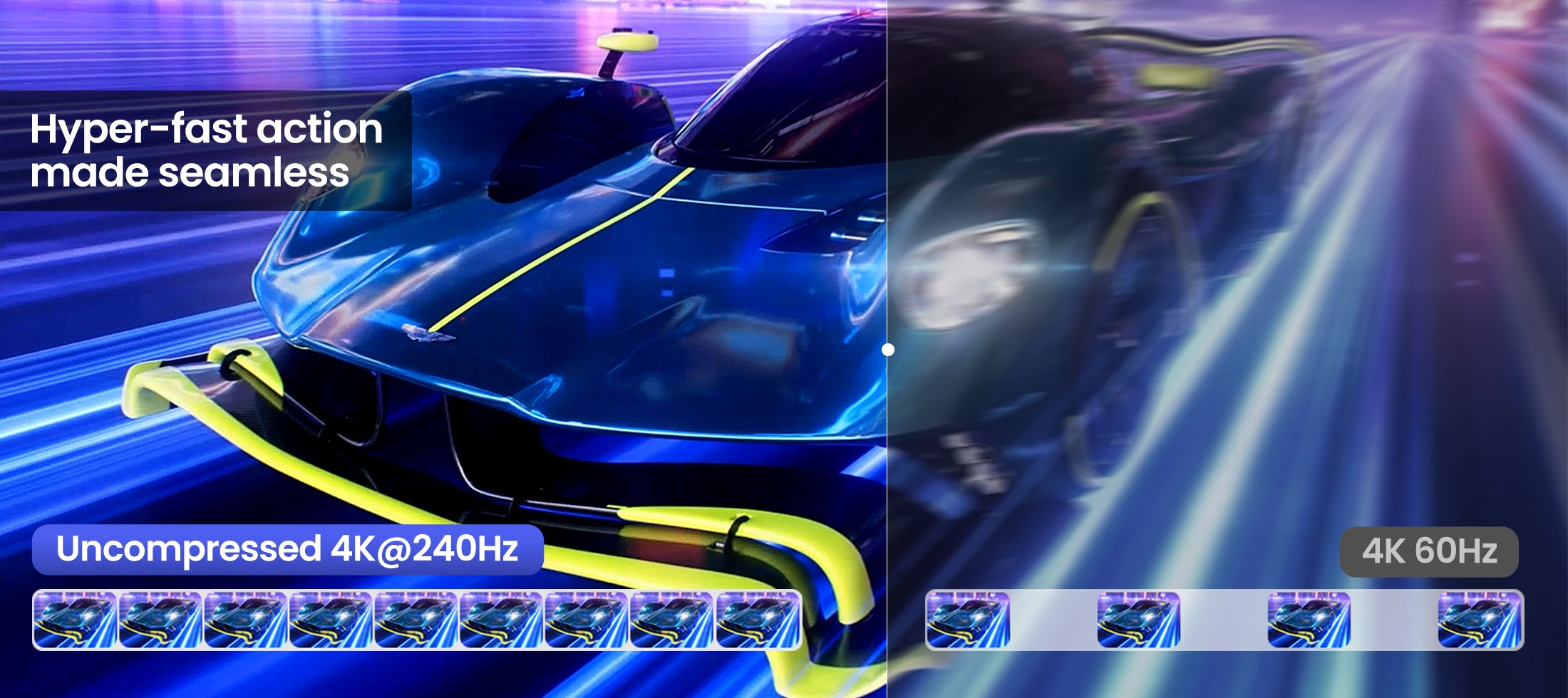
When paired with a DP 2.1 UHBR20 (80Gbps) cable, DisplayPort can support uncompressed 4K at 240Hz, something HDMI 2.1 cannot achieve without relying on DSC. This makes DP 2.1 especially attractive for high-end PC monitors where image fidelity and latency consistency matter.
On PC monitors, DisplayPort is also typically the primary interface for unlocking maximum refresh rates, which makes 240Hz over DP more consistent and easier to configure.
HDMI 2.1: Capable, but More Conditional
HDMI 2.1 brings a major bandwidth upgrade over HDMI 2.0 and can support 240Hz at 1080p, as well as 1440p 240Hz and 4K 240Hz using DSC. When the GPU, display, and cable all fully support HDMI 2.1, achieving 240Hz is absolutely possible.
That said, HDMI 2.1 implementations vary widely. Some monitors limit refresh rates over HDMI, while others require specific color formats or settings to unlock 240Hz. Cable quality also plays a more critical role at HDMI 2.1 bandwidth levels, which can affect stability.
Which One Should You Use for 240Hz?
For PC gaming, DisplayPort—especially DP 2.1 with an 80Gbps cable—offers the most direct and predictable path to 240Hz, including uncompressed 4K at high refresh rates.
HDMI 2.1 remains a solid choice for consoles and TV-based setups, or when DisplayPort is unavailable. In the right configuration, it can deliver 240Hz, but it usually requires more careful hardware and cable matching.
Common Questions About HDMI and 240Hz
1. Can HDMI support 240Hz?
Yes, HDMI can support 240Hz, but it depends on the HDMI version, resolution, and cable quality. HDMI 2.0 can handle 1080p at 240Hz, while higher resolutions like 1440p or 4K at 240Hz generally require HDMI 2.1 and sufficient bandwidth support.
2. Does HDMI 2.1 support 240Hz at 1440p and 4K?
HDMI 2.1 has the bandwidth to support 1440p 240Hz and 4K 240Hz with DSC (Display Stream Compression) when the GPU, display, and certified HDMI 2.1 cable all support the necessary signal chain.
3. Why does my HDMI connection only show 120Hz or 144Hz instead of 240Hz?
Common reasons include using an older HDMI version, a monitor that doesn’t support 240Hz over HDMI, HDMI port limitations, cable bandwidth restrictions, or display settings not configured for the highest refresh rate.
4. Do I need a special HDMI cable for 240Hz gaming?
Yes. To reliably achieve 240Hz over HDMI, you should use a certified Ultra High Speed HDMI cable rated for high bandwidth. Lower-quality or older cables can prevent high refresh rates from being available.
5. HDMI vs DisplayPort — which is better for 240Hz gaming?
For PC gaming, DisplayPort (especially DP 2.1 with an 80Gbps cable) is usually more consistent and easier to set up for 240Hz at high resolutions. HDMI 2.1 can also deliver 240Hz, but it often requires more careful matching of hardware and cable to work reliably.
Conclusion
HDMI can support 240Hz, but it depends on using the right HDMI version, resolution, and cable. HDMI 2.0 is generally limited to 1080p at 240Hz, while HDMI 2.1 enables higher refresh rates at 1440p and even 4K, often with the help of DSC. In practice, achieving stable 240Hz over HDMI requires that every part of the signal chain—from the source device to the display and the cable—meets the required bandwidth. Understanding these limits helps ensure you get the refresh rate your hardware is capable of delivering.
Explore Silkand's High-Quality Certified HDMI Cables >>
RELATED PRODUCTS

[Certified] Silkland Ultra High Speed HDMI 2.1 Cable
This HDMI 2.1 certified cable delivers full 48Gbps bandwidth for smooth 4K@120Hz gaming on PS5 and Xbox, and up to 4K@144Hz on PC (game support required). High-purity copper conductors, proprietary E-Braid shielding, and integrated ferrite beads ensure a stable, interference-free signal. It supports 8K@60Hz, Dynamic HDR, Dolby Atmos via eARC, and is fully backward compatible with all HDMI devices.
💡 Silkland is launching an upcoming HDMI 2.2 cable with up to 96Gbps bandwidth, supporting ultra-high resolutions like 12K@120Hz and 16K@60Hz.
Click b0elow to learn more:
1. HDMI 2.2 Specification0 Technology Overview - by Hdmi.org
2. What's the differen0ce between HDMI 2.2 and HDMI 2.1?
3. What's the dif0ference between HDMI 2.2 and Displayport 2.1?
Share:
Does HDMI Support 144Hz?
HDMI Cord for Samsung TV: How to Choose the Right Cable for Your Setup
1 Kommentar
What about 300hz PC gaming? I only have 1 monitor and it supports full HDMI 48Gbps but torn if I should use hdmi 2.1 or DP 1.4 on it