When it comes to high-performance TVs and monitors, the discussion usually comes down to two main standards: HDMI and DisplayPort. Other connections—like USB-C and Thunderbolt—often appear in the conversation, but they typically carry DisplayPort signals through Alt Mode or protocol integration. This means the core comparison for raw video performance is still HDMI vs DisplayPort.
The HDMI Forum has introduced HDMI 2.2, expected to appear in products this year, while DisplayPort 2.1 continues to push bandwidth and refresh rate limits for gaming monitors, high-end laptops, and professional displays. This guide focuses on what matters in practice: how HDMI 2.2 vs DP 2.1 handles 4K@240Hz, 8K@120Hz, and DSC compression, and where each standard appears across TVs, monitors, GPUs, consoles, and laptops—helping you choose the right port for your setup without chasing features you won’t use.

In this article:
- Part 1: HDMI 2.2 & DisplayPort 2.1 – What’s New
-
Part 2: HDMI 2.2 vs DisplayPort 2.1 – Core Differences
-
Part 3: Format Capabilities That Matter
-
Part 4: HDMI 2.2 vs DP 2.1 by Device
- Part 5: Real-World Use Cases
- FAQ – HDMI 2.2 vs DP 2.1
Part 1: HDMI 2.2 & DisplayPort 2.1 - What’s New?
HDMI 2.2 - Higher Bandwidth for the Next Generation of TVs
HDMI 2.2 is the latest evolution of the HDMI standard, designed to meet the growing demands of ultra-high-resolution TVs and large-format displays. Its most notable upgrade is a jump to up to 96 Gbps of bandwidth, nearly doubling what HDMI 2.1 offers. This increase targets smoother video delivery at higher resolutions and refresh rates, especially in home entertainment environments.
With this added bandwidth, HDMI 2.2 supports advanced formats such as 8K at 240Hz, 12K at 120Hz, and even 16K at 60Hz when DSC (Display Stream Compression) is used. The standard also introduces improvements in audio-video synchronization, more reliable device handshakes, and a new Ultra96 HDMI cable certification to ensure consistent real-world performance.
In practice, HDMI 2.2 is aimed at the future of high-end TVs, gaming consoles, and home theater setups, where long cable runs, stable A/V sync, and broad device compatibility matter as much as raw resolution support.
DisplayPort 2.1 - A Bandwidth-First Upgrade for High-Performance Displays
DisplayPort 2.1 represents a true generational step forward, with its defining feature being a massive increase in bandwidth—up to 80 Gbps in UHBR20 mode. This is achieved through new UHBR (Ultra High Bit Rate) signaling levels, operating at 10.0, 13.5, and 20.0 GT/s per lane, specifically designed for next-generation display workloads.
At the highest UHBR20 (20.0 GT/s) level, a four-lane DisplayPort link delivers an effective data rate of about 77.4 Gbps, often rounded to “80 Gbps” in official specifications. This bandwidth headroom enables demanding formats such as 4K at 240Hz, 8K at 120Hz with DSC, and even experimental dual-cable 16K display setups—capabilities that go well beyond what DP 1.4 can handle.
Beyond resolution and refresh rate gains, DisplayPort 2.1 also improves multi-monitor support, adaptive sync reliability, and link training behavior for high-refresh-rate gaming and professional monitors. For users, this means smoother gameplay, clearer visuals, and a more stable connection in advanced desktop and esports display setups.
Part 2: HDMI 2.2 vs DisplayPort 2.1 - Core Differences
At a high level, HDMI 2.2 and DisplayPort 2.1 are both designed to push display performance far beyond what previous standards could handle. But their core differences go beyond headline bandwidth numbers. They reflect two very different design philosophies — shaped by how and where these interfaces are actually used.
Bandwidth Philosophy: Fixed Lanes vs Adaptive Lanes
A useful way to understand the difference between HDMI 2.2 vs DisplayPort 2.1 is to think of bandwidth as a highway.
HDMI 2.2 behaves like a very wide highway with a fixed number of lanes. Once a device supports HDMI 2.2 and is paired with a compliant Ultra96 cable, the full bandwidth — up to 96 Gbps — is available without additional negotiation. This approach prioritizes predictability and simplicity, which aligns well with consumer electronics such as TVs, consoles, and AV receivers.
DisplayPort 2.1, on the other hand, works more like a highway that can switch between multiple lane configurations. Its UHBR modes (UHBR10, UHBR13.5, and UHBR20) allow the connection to scale based on what both the GPU and the display support. This makes DP 2.1 more flexible and efficient, but also more dependent on device-side implementation. If either end does not support higher UHBR levels, the available bandwidth scales down accordingly.
In short, HDMI 2.2 favors consistent, fixed performance, while DisplayPort 2.1 favors adaptive performance that depends on the entire signal chain.
Display Focus: Living Room vs Desktop
Another fundamental difference between HDMI 2.2 and DisplayPort 2.1 lies in their primary ecosystems.
HDMI 2.2 is clearly optimized for televisions and home entertainment systems. Its design emphasizes stable long-distance signal transmission, reliable audio-video synchronization, and broad compatibility across consumer devices. These priorities matter most in living-room setups, where ease of use and consistency outweigh fine-grained configuration.
DisplayPort 2.1 remains firmly centered on the monitor ecosystem, especially high-refresh-rate gaming monitors and professional displays. Features such as higher effective pixel throughput, advanced multi-display support, and tighter GPU integration make DP 2.1 a more natural fit for desktop environments where performance scaling is expected.
This ecosystem split explains why DisplayPort 2.1 often appears first on cutting-edge monitors, while HDMI 2.2 adoption typically follows in TV lineups.
Compression, Bandwidth Headroom, and What Actually Changes
Both standards rely on Display Stream Compression (DSC) to achieve their most extreme format targets. The difference is not whether compression exists, but how often it becomes necessary.
With HDMI 2.2, the jump to 96 Gbps means the interface approaches — and in some cases reaches — the practical threshold for uncompressed ultra-high-resolution video. Formats that previously required compression under HDMI 2.1 now have significantly more headroom, particularly in TV-focused use cases.
DisplayPort 2.1, by contrast, uses its bandwidth more aggressively to enable very high refresh rates and advanced monitor configurations. As a result, DSC is more commonly encountered in high-performance display scenarios, especially when pushing extreme refresh rates at 4K and beyond.
For users, this distinction affects how formats are delivered, not image quality. Modern DSC implementations are visually lossless and widely supported across GPUs and displays.
Adoption and Real-World Availability
Ecosystem support plays a major role in the HDMI 2.2 vs DisplayPort 2.1 comparison.
HDMI standards typically see faster and broader adoption in consumer electronics, driven by strong industry backing and standardized certification. DisplayPort evolves more rapidly on the PC side, often appearing first on GPUs and high-end monitors before filtering down to mainstream devices.
As a result, HDMI 2.2 and DisplayPort 2.1 are not direct replacements for each other. They coexist, each optimized for the environments they were designed to serve.
Key Takeaway
The real difference between HDMI 2.2 vs DisplayPort 2.1 is not which standard is objectively “better,” but which one aligns with your devices and how you use them. HDMI 2.2 emphasizes stability, compatibility, and next-generation TV performance. DisplayPort 2.1 emphasizes flexibility, scalability, and maximum display throughput for high-performance monitors.
These design choices become even more apparent when we look at specific formats that users actually care about, such as 4K at 240Hz, 8K at high refresh rates, and when compression truly matters.
Quick Comparison: HDMI 2.2 vs DisplayPort 2.1
| Aspect | HDMI2.2 | DisplayPort2.1 |
|---|---|---|
| Maximum Bandwidth | Up to 96 Gbps | Up to 80 Gbps(UHBR20) |
| Bandwidth Model | Fixed, single mode | Tiered(UHBR10/13.5/20) |
| Typical Device Focus | TVs, consoles, home theater | Gaming monitors, PCs, professional displays |
| 4K@240Hz Support | Possible, device-dependent | More commonly supported |
| 8K High Refresh Rates | Approaches uncompressed limits | Usually requires DSC |
| Compression Usage(DSC) | Less frequent in TV use cases | More common at extreme refresh rates |
| Multi-Monitor Support | Limited | Strong native support |
| Ecosystem Adoption | Faster in consumer electronics | Faster on GPUs and monitors |
Part 3: Format Capabilities That Actually Matter (4K@240Hz, 8K@120Hz, DSC)
When comparing HDMI 2.2 vs DisplayPort 2.1, it’s easy to get lost in theoretical maximums. But most users aren’t asking what’s possible on paper — they want to know which formats actually work in real setups, and how often those formats are supported without compromises.
This section focuses on the three questions that come up most often in searches and real-world use.
1. Can It Do 4K@240Hz?
For many PC gamers, 4K@240Hz is the first format that truly stresses modern display interfaces.
In practice, DisplayPort 2.1 is currently more likely to handle 4K@240Hz reliably, especially on high-end gaming monitors. Its UHBR link structure and tighter integration with GPUs make it easier to sustain the pixel throughput required for ultra-high refresh rates.
HDMI 2.2 can also support 4K@240Hz on paper, but real-world availability depends heavily on device support. TVs rarely prioritize refresh rates this high, and most HDMI-based displays focus on formats like 4K@120Hz instead. As a result, 4K@240Hz over HDMI remains more niche and less commonly implemented.
For users specifically targeting competitive or high-refresh gaming monitors, this is one area where DisplayPort 2.1 tends to have a practical edge.
2. What About 8K@120Hz?
8K@120Hz sounds like the next logical step — but in reality, it’s a format very few users actually need today.
Even with HDMI 2.2’s significantly increased bandwidth and DisplayPort 2.1’s UHBR20 mode, 8K 120Hz typically requires Display Stream Compression (DSC). Uncompressed delivery at this level is still limited to highly specialized or experimental setups.
More importantly, there are currently very few consumer displays that can fully take advantage of 8K 120Hz. Most 8K TVs prioritize image quality, panel size, and processing rather than extreme refresh rates, while 8K monitors remain rare and costly.
For most users, 8K 120Hz is better understood as a forward-looking capability rather than a format that affects everyday buying decisions.
3. Does DSC Actually Matter?
One of the most common concerns users have is whether DSC means lower image quality.
In real-world use, modern Display Stream Compression is visually lossless. It is designed to preserve image quality while reducing bandwidth demands, and it has been widely adopted across GPUs, monitors, and display standards.
With DisplayPort 2.1, DSC is more frequently used to unlock extreme combinations of resolution and refresh rate, such as 4K 240Hz or multi-monitor setups. With HDMI 2.2, the higher raw bandwidth reduces how often compression is needed in common TV-focused formats.
This is also where HDMI 2.2 quietly shows one of its biggest advantages.
With its higher native bandwidth, HDMI 2.2 can reach many high-resolution and high-refresh formats with less reliance on compression, especially in TV-focused setups. That doesn’t make it “better” across the board, but it does make the signal path simpler and more consistent as display resolutions continue to climb.
For users planning ahead for next-generation TVs or large-format displays, this added headroom is one reason HDMI 2.2 is often seen as a more future-facing option for home entertainment.
For most users, DSC does not introduce visible artifacts, added latency, or reduced clarity. Whether compression is used matters far less than how well the entire display pipeline is implemented.
In the next section, we’ll move away from formats and focus on the devices you actually own, examining how HDMI 2.2 and DisplayPort 2.1 perform across TVs, monitors, GPUs, consoles, and laptops.
Part 4: HDMI 2.2 vs DisplayPort 2.1 in Devices You Actually Own
Specifications only matter when they show up in real products. Instead of asking which standard is “better,” a more practical question is: which one fits the devices you actually use—or plan to upgrade to?
This section looks at HDMI 2.2 vs DisplayPort 2.1 through real-world device categories, not spec sheets.
1. TVs: HDMI Defines the Platform
For televisions, HDMI remains the defining interface.
Most TVs do not include DisplayPort, and there is little indication that this will change. HDMI is deeply integrated into TV firmware, content protection, audio return channels, and the broader home entertainment ecosystem.
HDMI 2.2, with its 96 Gbps total bandwidth, is designed to push this platform forward. On paper, its bandwidth headroom exceeds DisplayPort 2.1’s ~80 Gbps, positioning it to support future high-resolution and high-frame-rate TV formats with fewer constraints.
That said, HDMI 2.2 is best understood not as an immediate upgrade, but as a next-generation standard aimed at defining the future of premium TVs and high-end home theater experiences.
Bottom line:
For TVs and home entertainment, HDMI—looking ahead, HDMI 2.2—is the interface the ecosystem is built around.
2. Gaming Monitors: DisplayPort Still Leads Today
Gaming monitors follow a different logic.
High-refresh-rate monitors are still primarily designed around DisplayPort, and DisplayPort 2.1 continues to dominate in this space. Its UHBR link modes align closely with how GPUs and monitor controllers handle extreme refresh rates, such as 4K 240Hz.
While HDMI 2.2 has the raw bandwidth to compete on paper, DisplayPort 2.1 remains the more commonly supported and predictable option in today’s PC monitor market.
Bottom line:
For high-refresh gaming monitors, DisplayPort 2.1 is still the practical choice right now.
3. GPUs: The Split Becomes Clearer
Modern GPUs from NVIDIA and AMD support both HDMI and DisplayPort, but they are often optimized for different roles.
DisplayPort outputs are typically used to drive high-refresh monitors and multi-display setups. HDMI outputs are more closely aligned with TV compatibility and living-room use cases.
As HDMI 2.2-capable GPUs arrive, this split is likely to become clearer rather than disappear.
Bottom line:
The “best” port depends less on the GPU and more on the display it connects to.
4. Consoles: HDMI Is the Only Path
Game consoles are firmly within the HDMI ecosystem.
PlayStation and Xbox platforms rely on HDMI for video, VRR, HDR signaling, and audio integration. DisplayPort is not part of the console landscape—and there is no indication that this will change.
Bottom line:
For consoles, HDMI isn’t a preference—it’s the standard.
5. Laptops and USB-C Docking: DisplayPort Under the Hood
Many laptops output video through USB-C or Thunderbolt, but in most cases, these connections carry DisplayPort signals internally via DisplayPort Alt Mode.
As a result, laptop display behavior often mirrors DisplayPort characteristics, sometimes constrained by shared bandwidth with data and power delivery.
Bottom line:
In laptop and docking setups, DisplayPort 2.1 principles often apply—even when HDMI appears in the chain.
Part 5: Which One Should You Choose? A Practical Summary
If you strip away specifications and bandwidth charts, the choice between HDMI 2.2 and DisplayPort 2.1 ultimately comes down to where and how the connection is used.
For PC gaming and high-refresh monitors, DisplayPort 2.1 remains the more practical option today. Its multi-tier UHBR design allows GPUs and monitors to negotiate the highest stable data rate available, making it easier to fully utilize formats like 4K at 240Hz or ultra-wide high-refresh displays. In the current PC monitor ecosystem, DP 2.1 is simply better aligned with how modern GPUs and displays are designed to operate.
For TVs, home theater systems, and living-room setups, HDMI 2.2 represents a clear step toward the future. With a 96 Gbps total bandwidth, it is the first HDMI standard designed to truly approach uncompressed 8K—and even higher experimental resolutions—while maintaining compatibility with the HDMI-centric AV ecosystem. As next-generation TVs, receivers, and source devices emerge, HDMI 2.2 is positioned to define the next era of premium home entertainment.
For users planning long-term upgrades, the distinction is also about platform direction. DisplayPort continues to evolve primarily around PC displays and professional monitors, while HDMI 2.2 is being shaped as the backbone of future television and high-end audiovisual standards. Neither replaces the other—they serve different ecosystems with different priorities.
In short, DisplayPort 2.1 dominates the present PC monitor landscape, especially for high refresh rates, while HDMI 2.2 is designed to shape what high-end TVs and home entertainment will become next. Understanding this split makes the choice far clearer than any single specification ever could.
FAQs - HDMI 2.2 vs DisplayPort 2.1
1. Is HDMI 2.2 better than DisplayPort 2.1?
Not inherently. HDMI 2.2 and DisplayPort 2.1 are designed for different ecosystems. HDMI 2.2 focuses on next-generation TVs and home theater systems, offering up to 96 Gbps total bandwidth for future high-resolution video formats. DisplayPort 2.1, with its flexible UHBR bandwidth modes, is currently better suited for PC monitors and high-refresh-rate gaming. The “better” option depends entirely on where the connection is used.
2. Why is DisplayPort 2.1 easier to fully utilize on PC monitors?
DisplayPort 2.1 uses multiple UHBR speed tiers, allowing GPUs and monitors to dynamically select the highest stable bandwidth they both support. This makes it easier to achieve formats like 4K 240Hz without pushing every component to its absolute limit. In contrast, HDMI relies more on fixed link modes, which can be less flexible in PC environments.
3. Does DisplayPort 2.1 still rely on DSC for high resolutions?
Yes, in many cases. While DisplayPort 2.1 significantly increases available bandwidth, Display Stream Compression (DSC) is still commonly used for very high resolutions or refresh rates, such as 8K or ultra-high-refresh formats. DSC is visually lossless and widely supported across modern GPUs and displays.
4. Should I wait for HDMI 2.2 cables and devices?
That depends on your upgrade plans. If you are building or upgrading a PC setup today, DisplayPort 2.1 is the more practical choice. If you are planning for future high-end TVs or home theater systems, HDMI 2.2 is worth paying attention to as the ecosystem develops. Waiting only makes sense if your next upgrade cycle aligns with the arrival of HDMI 2.2–based hardware.
Conclusion
HDMI 2.2 and DisplayPort 2.1 are evolving in different directions rather than competing head-to-head. DisplayPort 2.1 is shaping today’s high-performance PC display ecosystem, where flexible bandwidth modes and broad GPU support make ultra-high refresh rates practical. HDMI 2.2, with its 96 Gbps total bandwidth, is positioned to define the next generation of TVs and premium home entertainment.
The right choice depends on your devices, not just the specifications. For gaming monitors, desktop PCs, and multi-display setups, DisplayPort 2.1 remains the more accessible option today. For future-focused TV and home theater upgrades, HDMI 2.2 is the standard to watch as compatible hardware becomes available.
Understanding how each standard fits into its ecosystem makes it easier to choose confidently—both for what you use now and what you plan to upgrade to next.
RELATED PRODUCTS
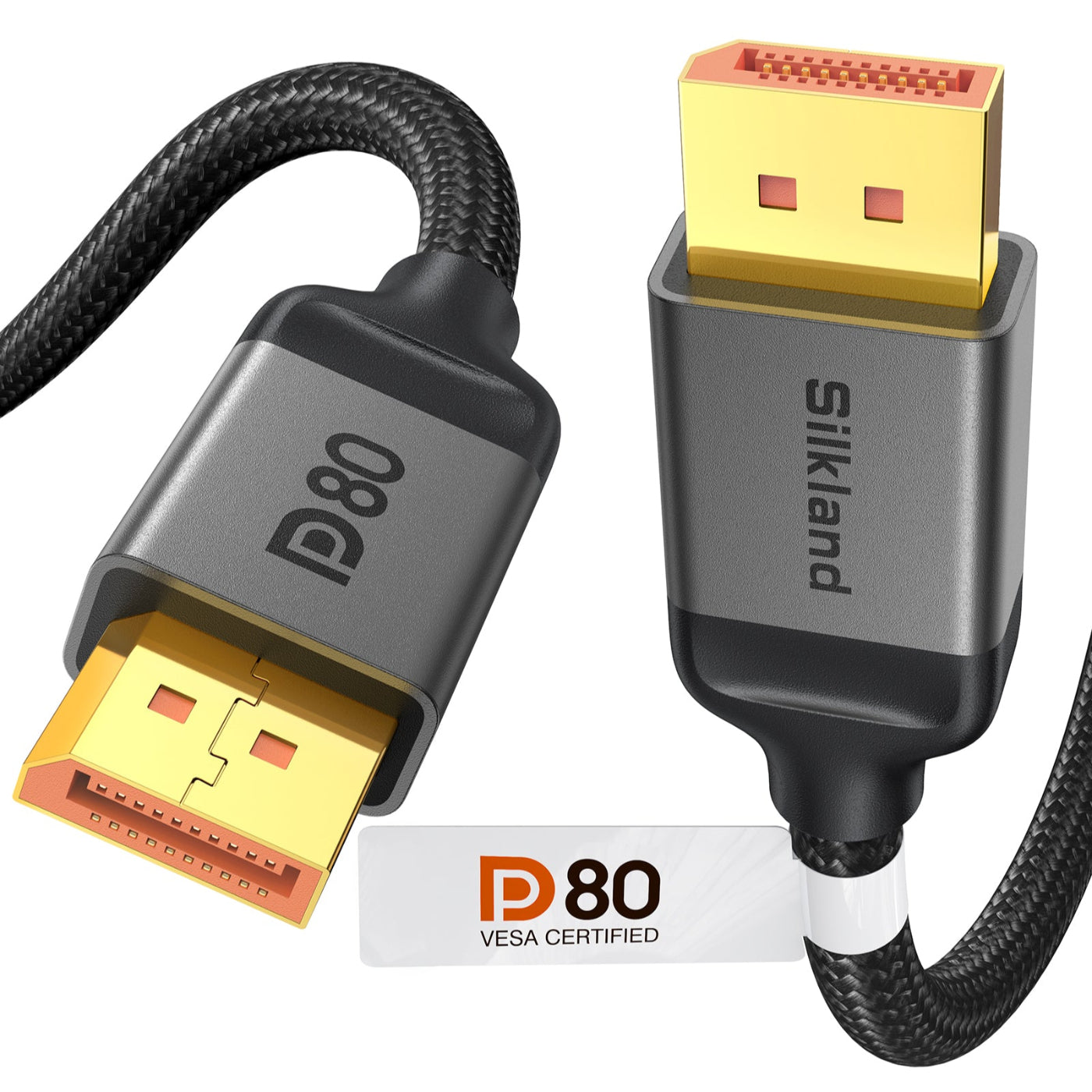
[VESA Certified] Silkland 80Gbps DisplayPort Cable 2.1 6.6FT
Amazon’s VESA-certified DP80 cable supports a full 80Gbps of bandwidth, enabling uncompressed 4K resolution at 240Hz. Built with 24K gold-plated connectors and a robust triple-shielded design, it ensures stable, plug-and-play performance with leading graphics cards and displays, and is covered by a 24-month warranty for added peace of mind.
HDMI 2.2 Products Coming Soon 🙌
Share:
How Long Can a DisplayPort Cable Be? A Practical Guide to Maximum Length, Distance, and Performance
Does HDMI Support 144Hz?